Stripe-secured payments
Cards processed via Stripe
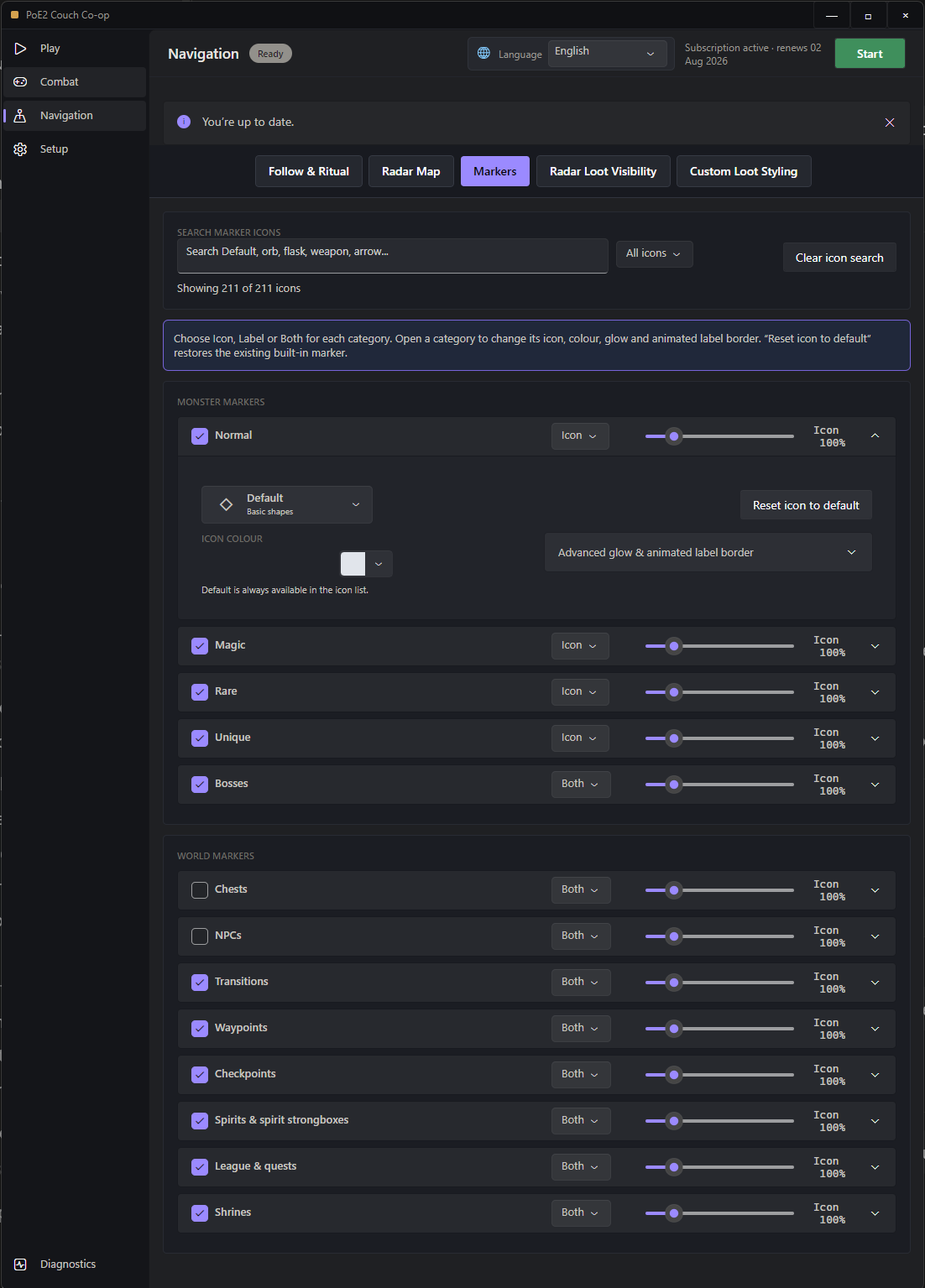
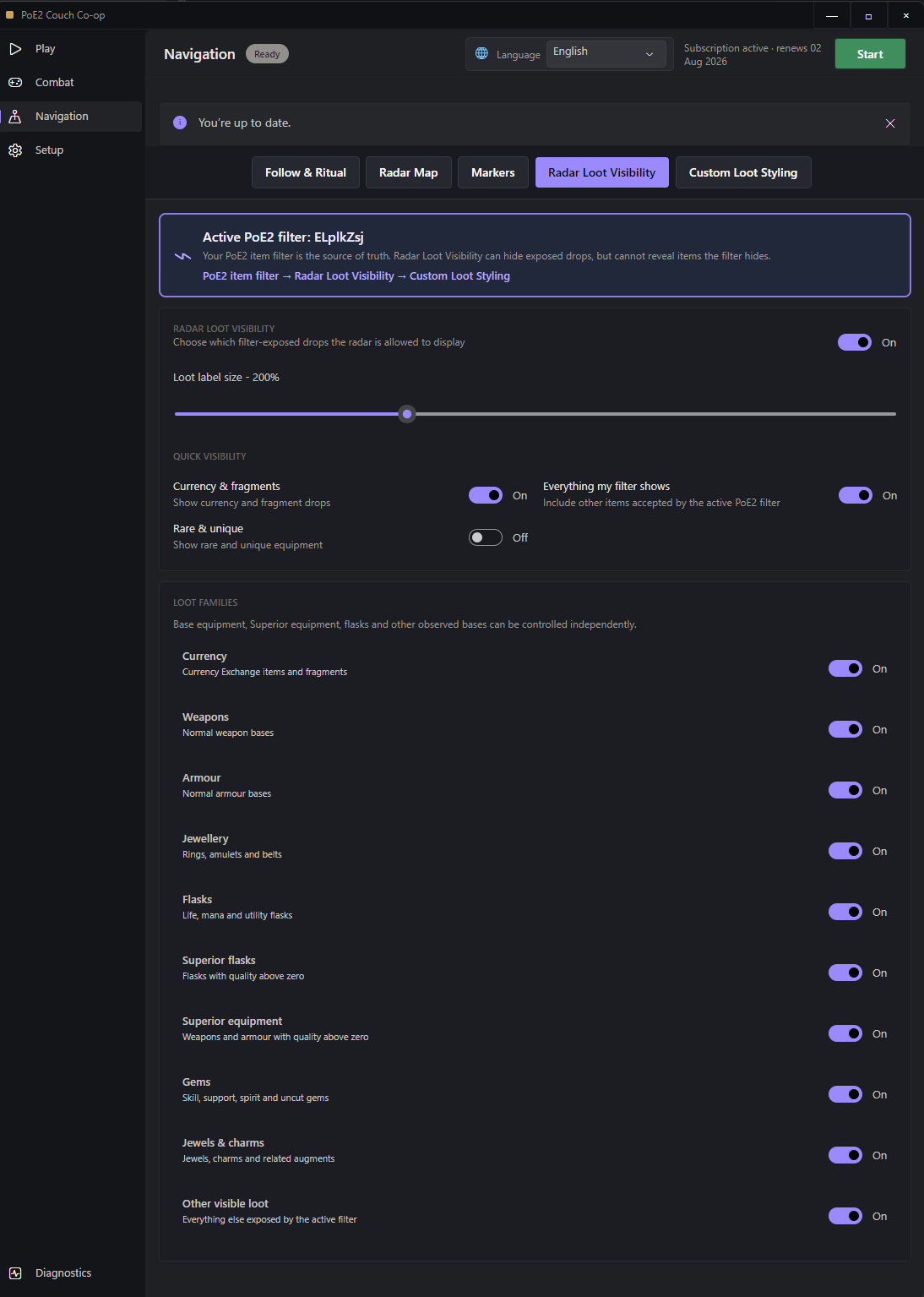
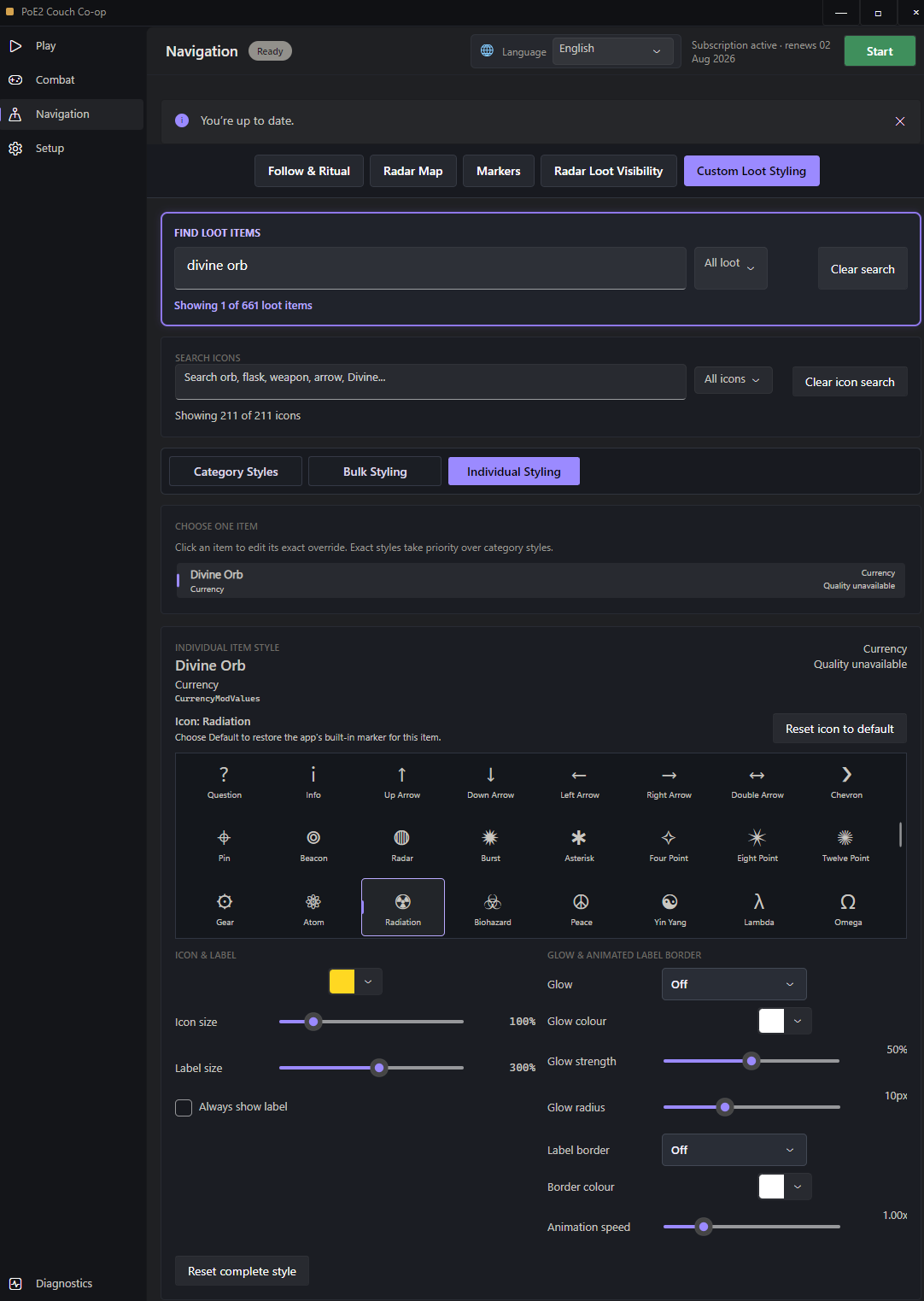
Capture custom Smart Focus combinations, work in clearer Navigation tabs, and style filter-visible bases, Superior items and map markers with searchable icons and optional effects.
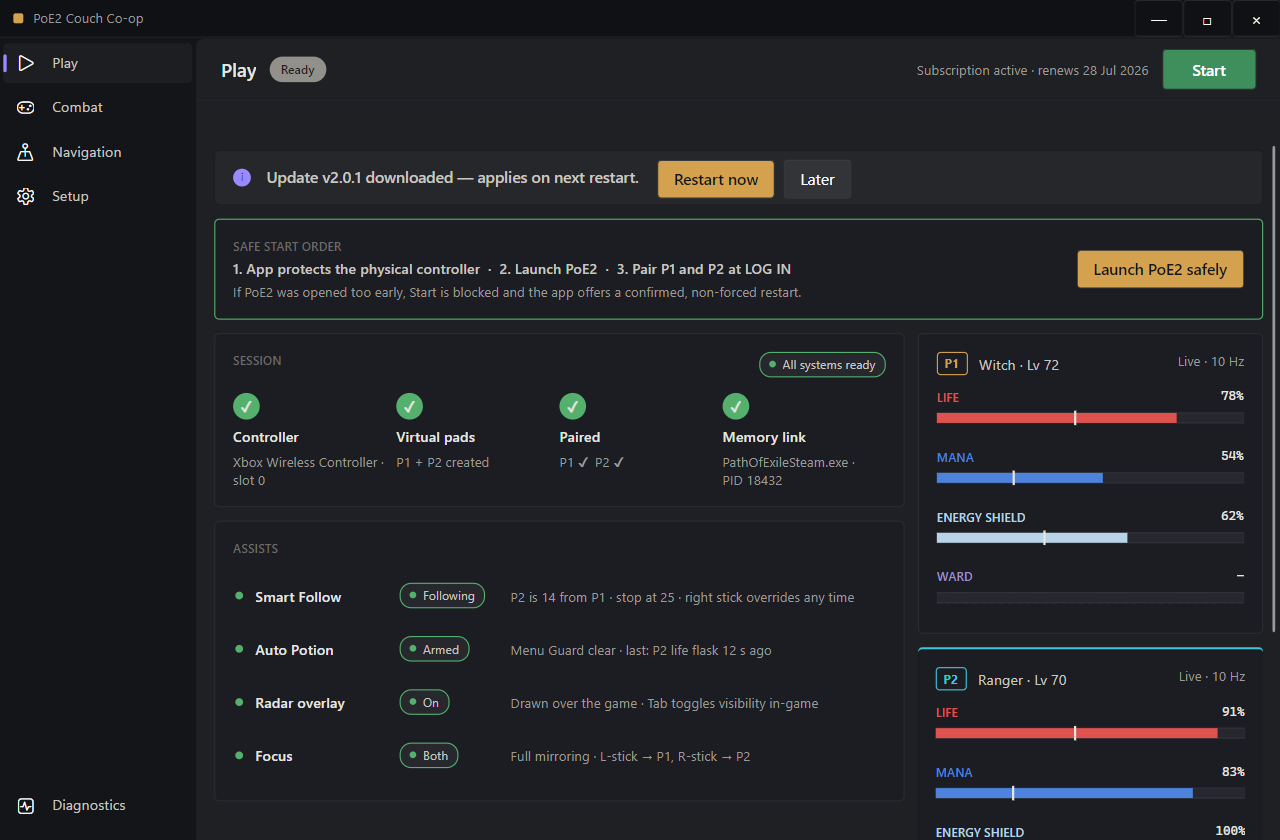
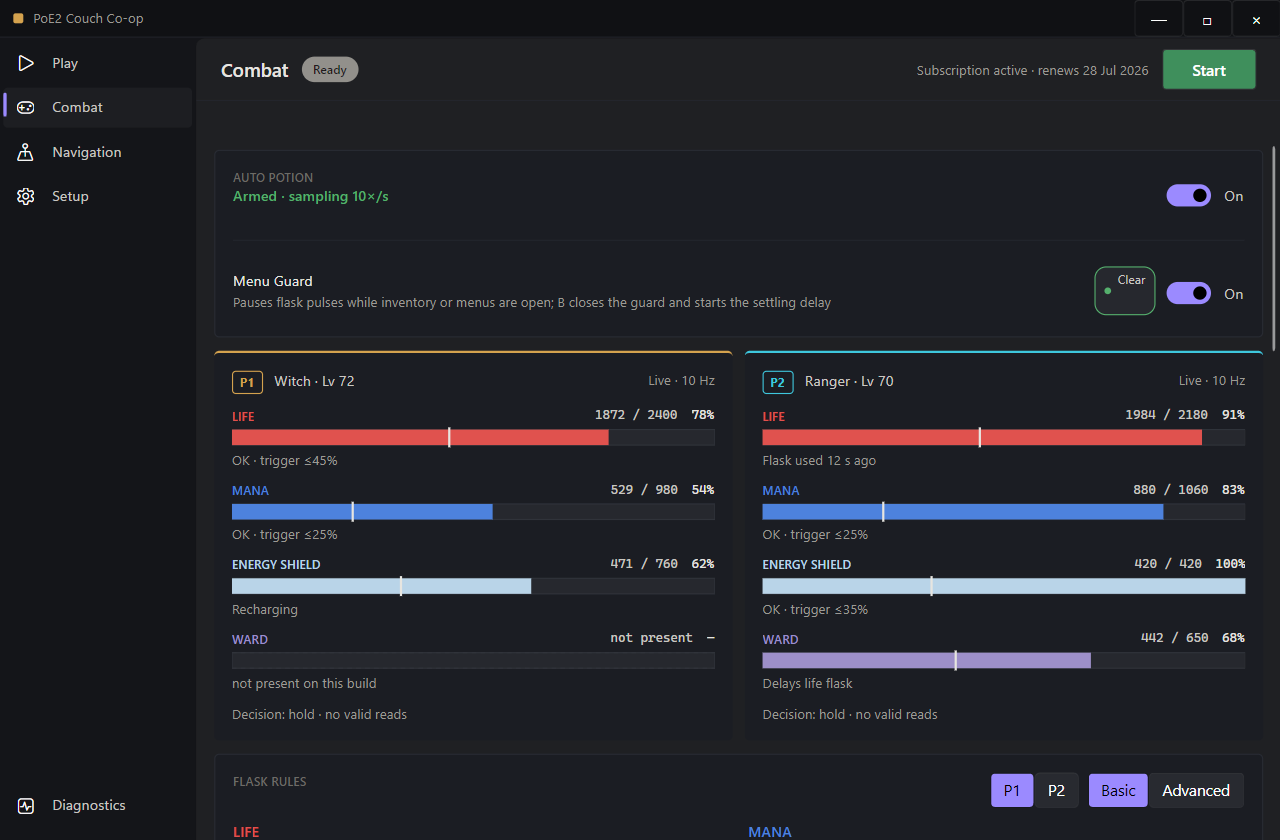
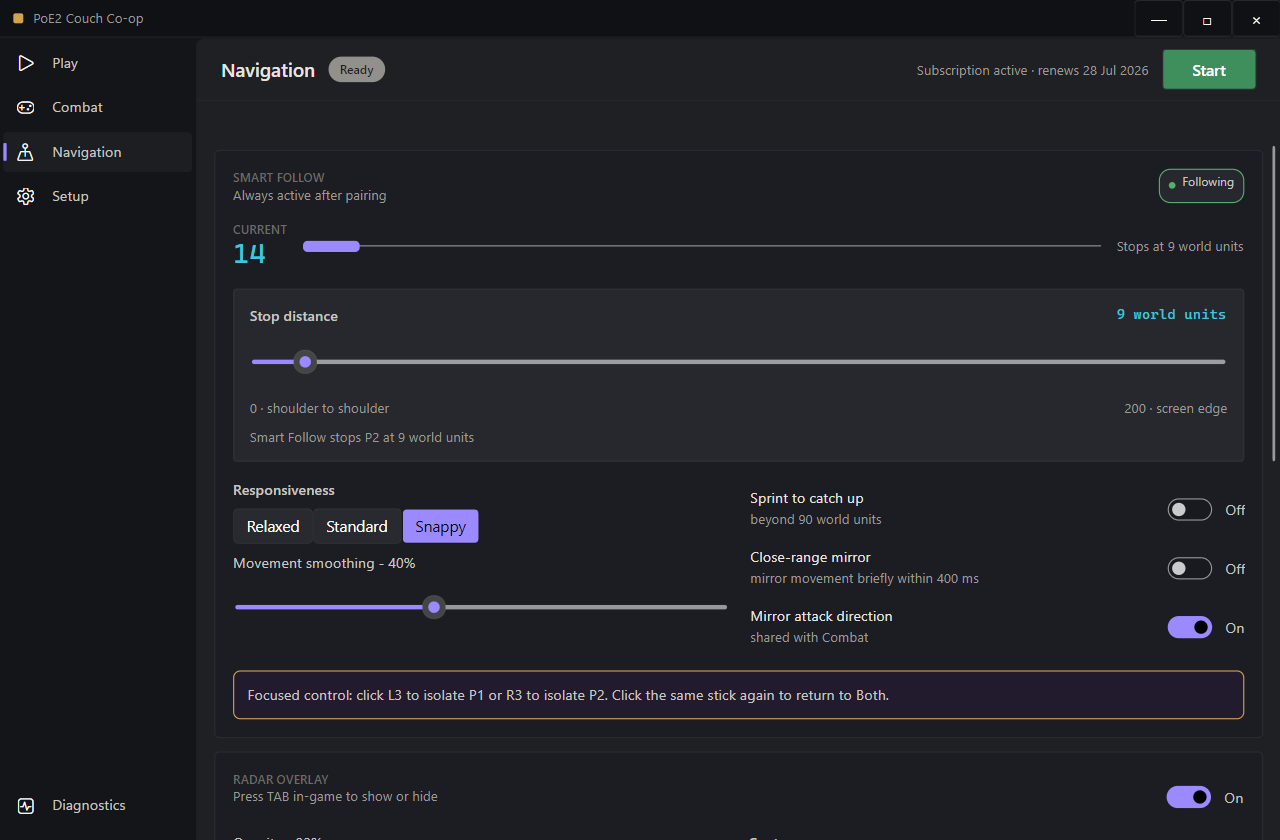
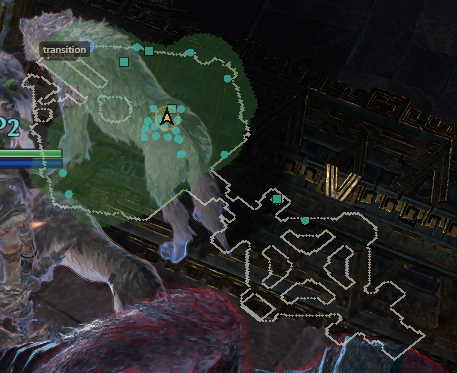
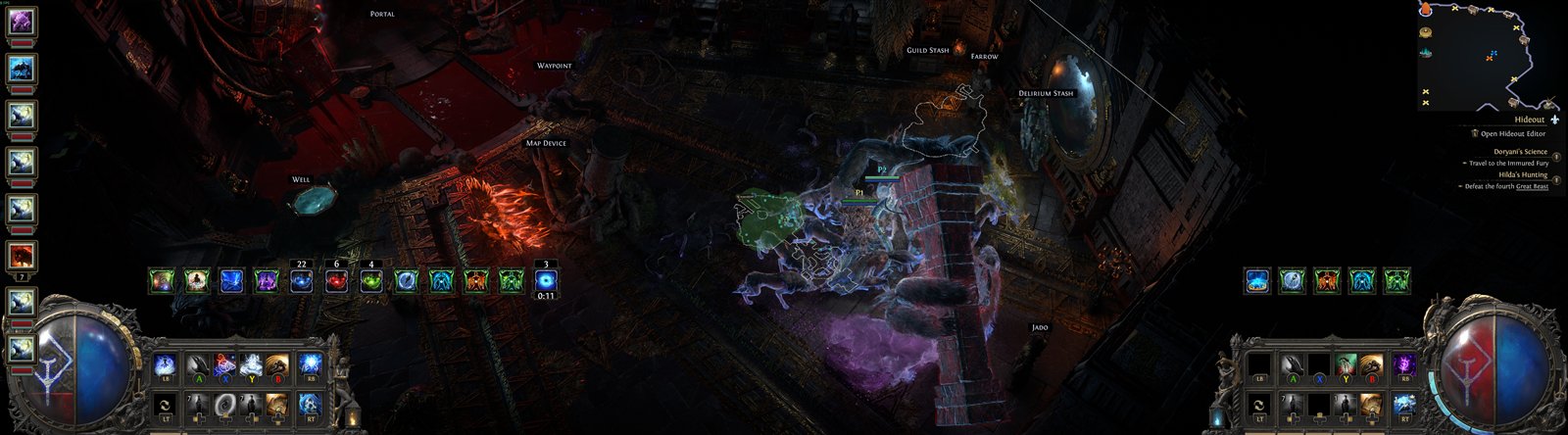
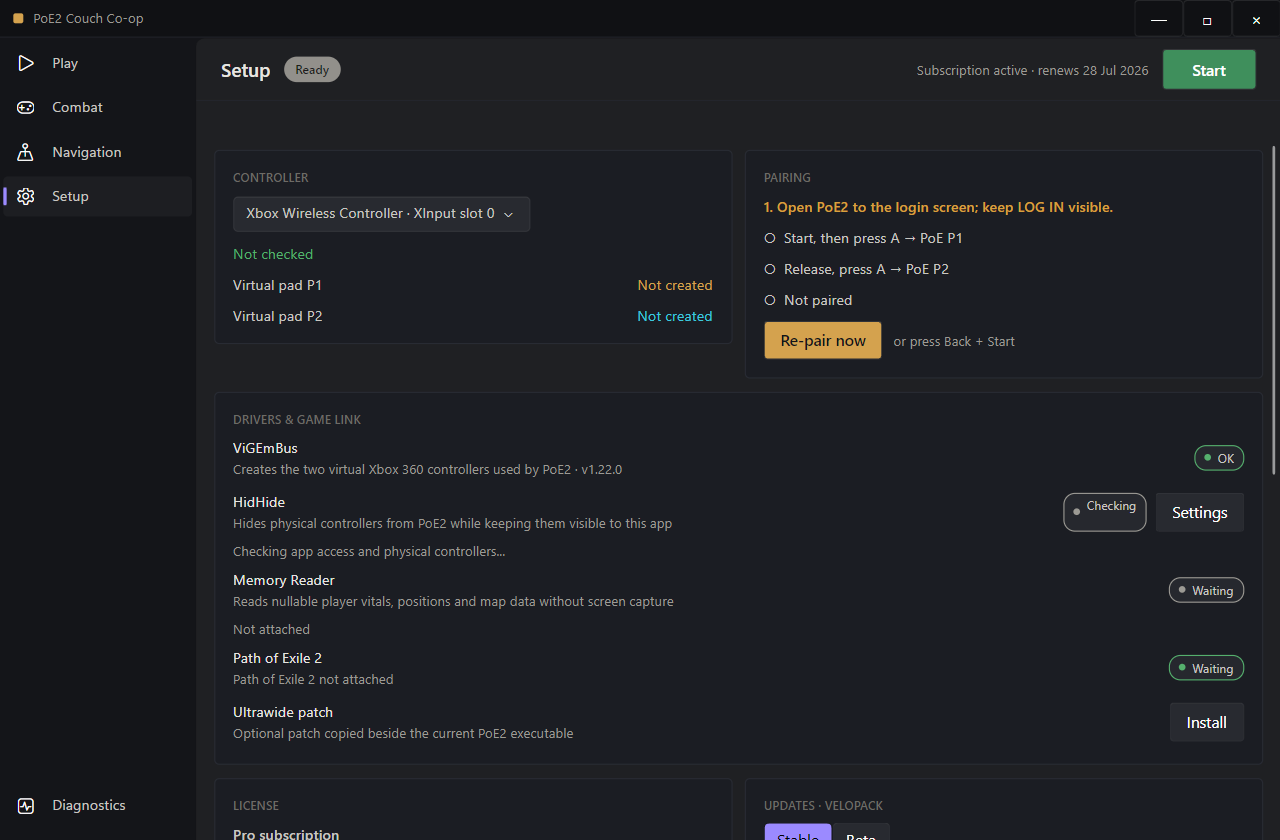
The installer prepares the drivers, and the app verifies controller protection before PoE2 starts.
Connect your physical controller, open the app, and press Start. Version 2 automatically allow-lists itself in HidHide, hides connected physical controllers from PoE2, and creates the two virtual pads in the correct order.
If anything needs attention, Setup shows a repair action. Do not launch PoE2 before the app reports controller protection is ready.
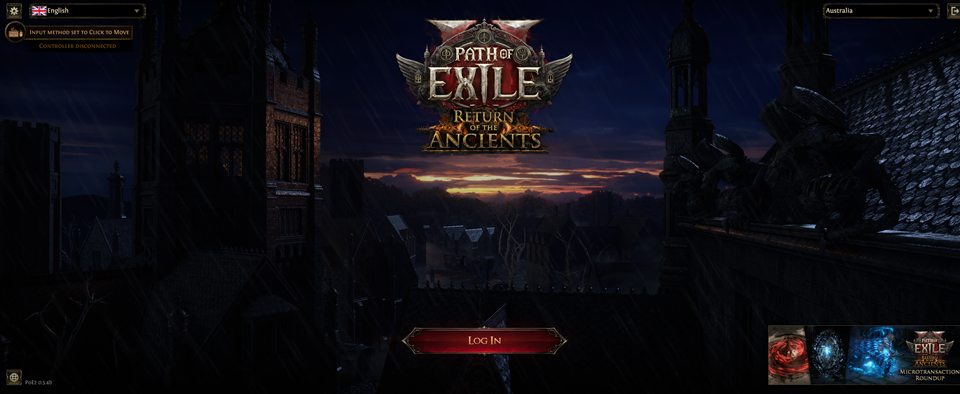
Keep the LOG IN button visible. The guided overlay appears over the game:
Memory reading starts after pairing. Press Tab in-game to show or hide the radar overlay.
Control two Path of Exile 2 characters on PC with one physical controller. Split-stick movement, configurable Smart Focus, Smart Follow, selective input routing, per-player Auto Potion and a deeply customizable item-filter-aware radar work together in one cohesive couch co-op session.
The full app is unlocked for three hours. No account or card is needed.
Version 2.1.0 adds configurable Smart Focus, purpose-built Navigation tabs and full styling for the loot and markers exposed by your active PoE2 item filter.
Keep the familiar L3/R3 defaults or capture custom combinations and supported extra controller buttons. LT+L3 and LT+R3 are recommended.
Follow & Ritual, Radar Map, Markers, Radar Loot Visibility and Custom Loot Styling each have a focused home instead of one long page.
Control filter-exposed equipment bases, flasks, Superior items, gems, jewellery, charms, currency and other observed drops by category.
Set colours, icon and label sizes up to 500%, always-visible labels, glow and static or animated borders at the right level.
Search a visual icon palette with PoE orb-inspired presets. Choosing Default restores each monster or world category's original marker.
Ritual Tribute reminders follow PoE2's official Map Completed objective, including maps with non-boss or additional objectives.
The Memory Reader is read-only and the active in-game item filter remains the loot visibility authority. Version 2.1.0's styling interface also stabilizes its sub-tab hover behavior and effect selectors.
Current version 2.1 controls and recent in-game captures. Swipe on mobile or use the arrows.
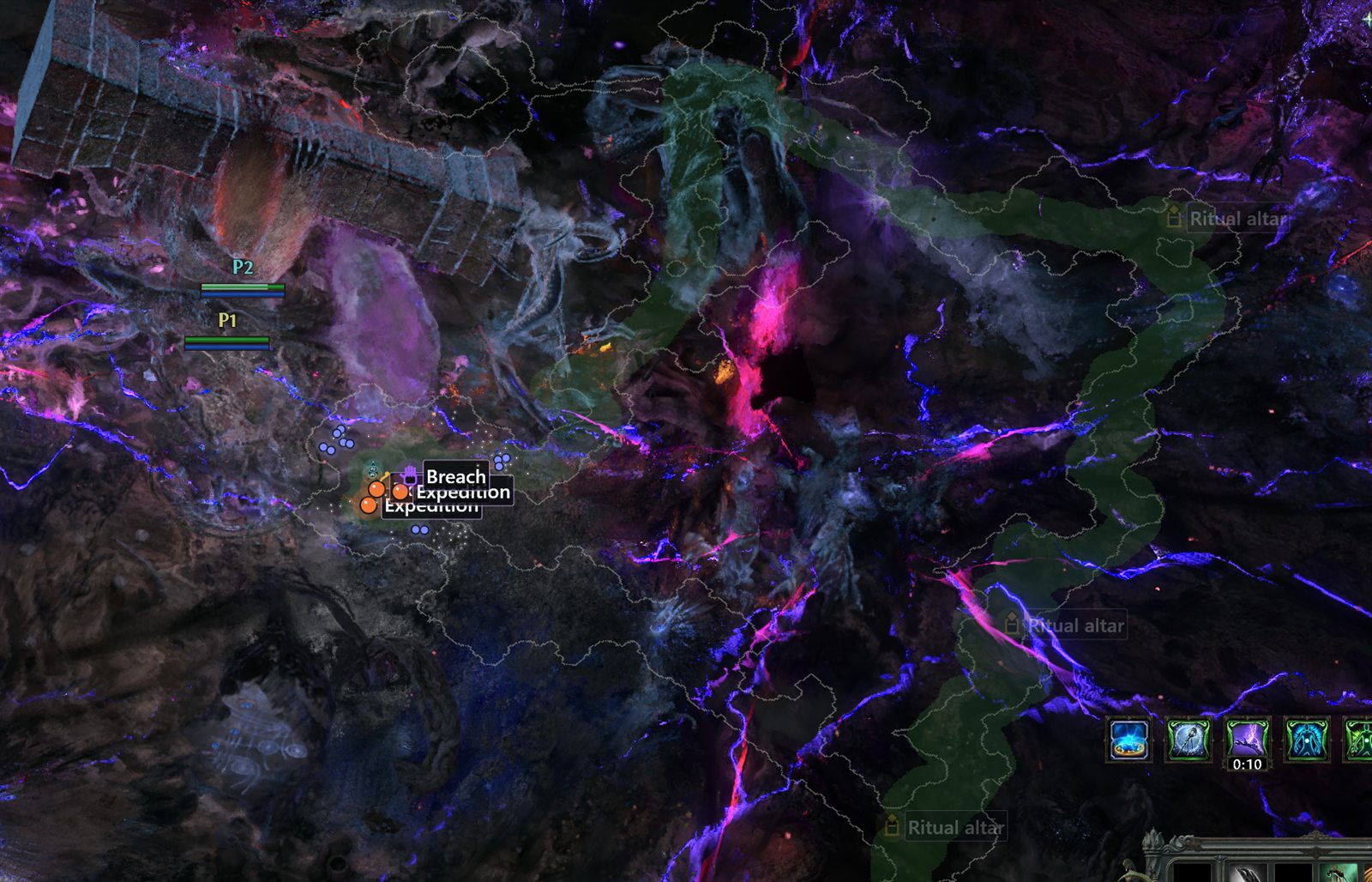
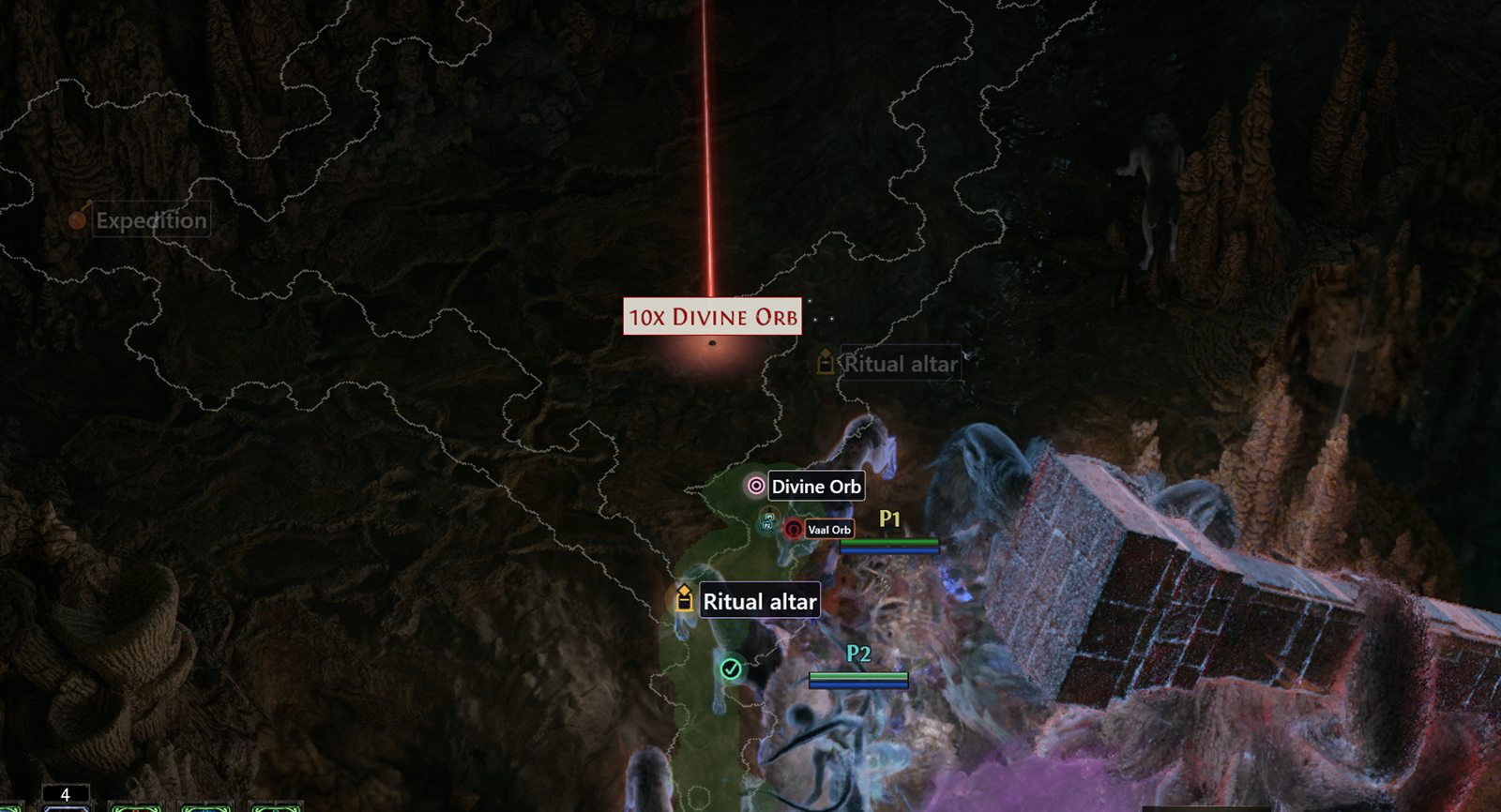
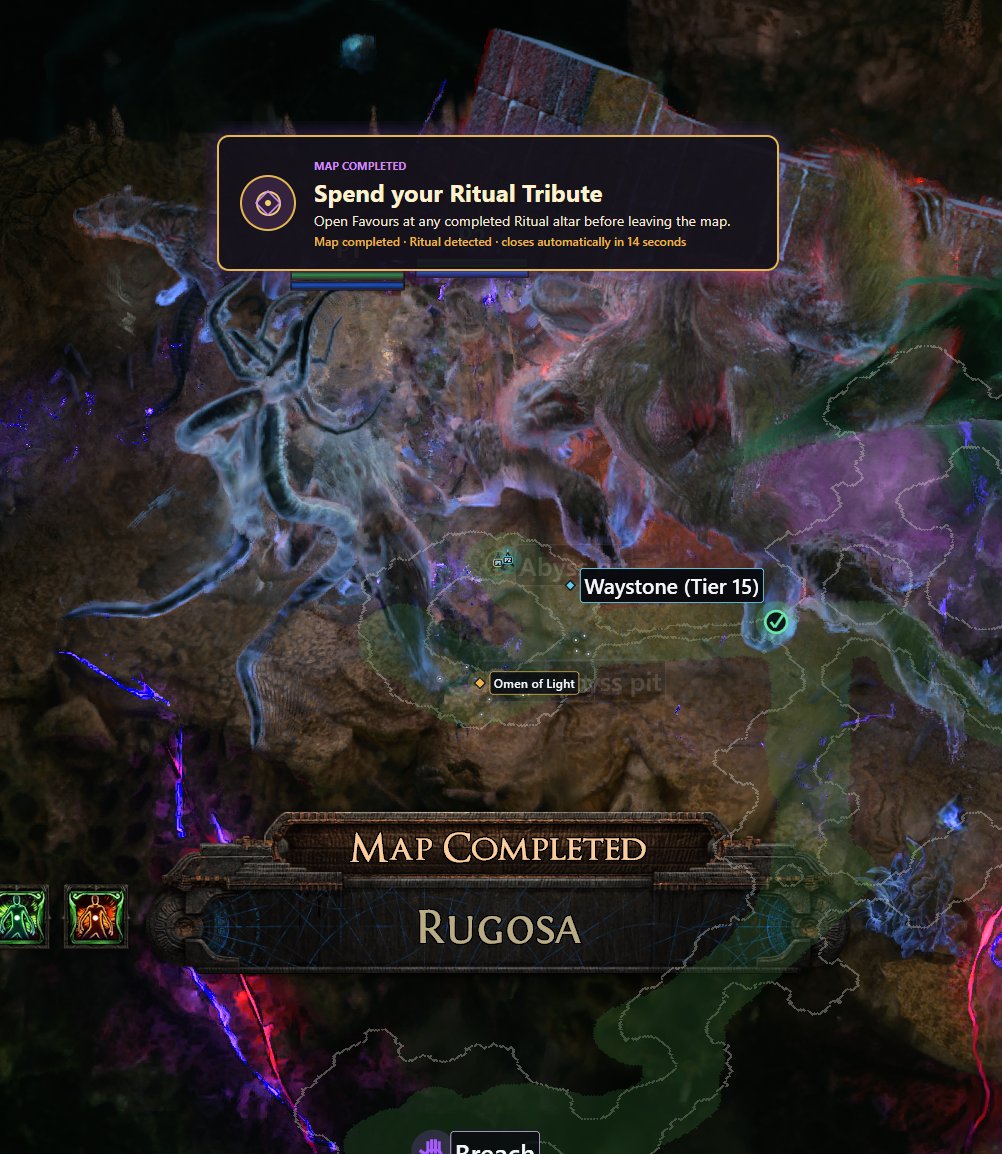
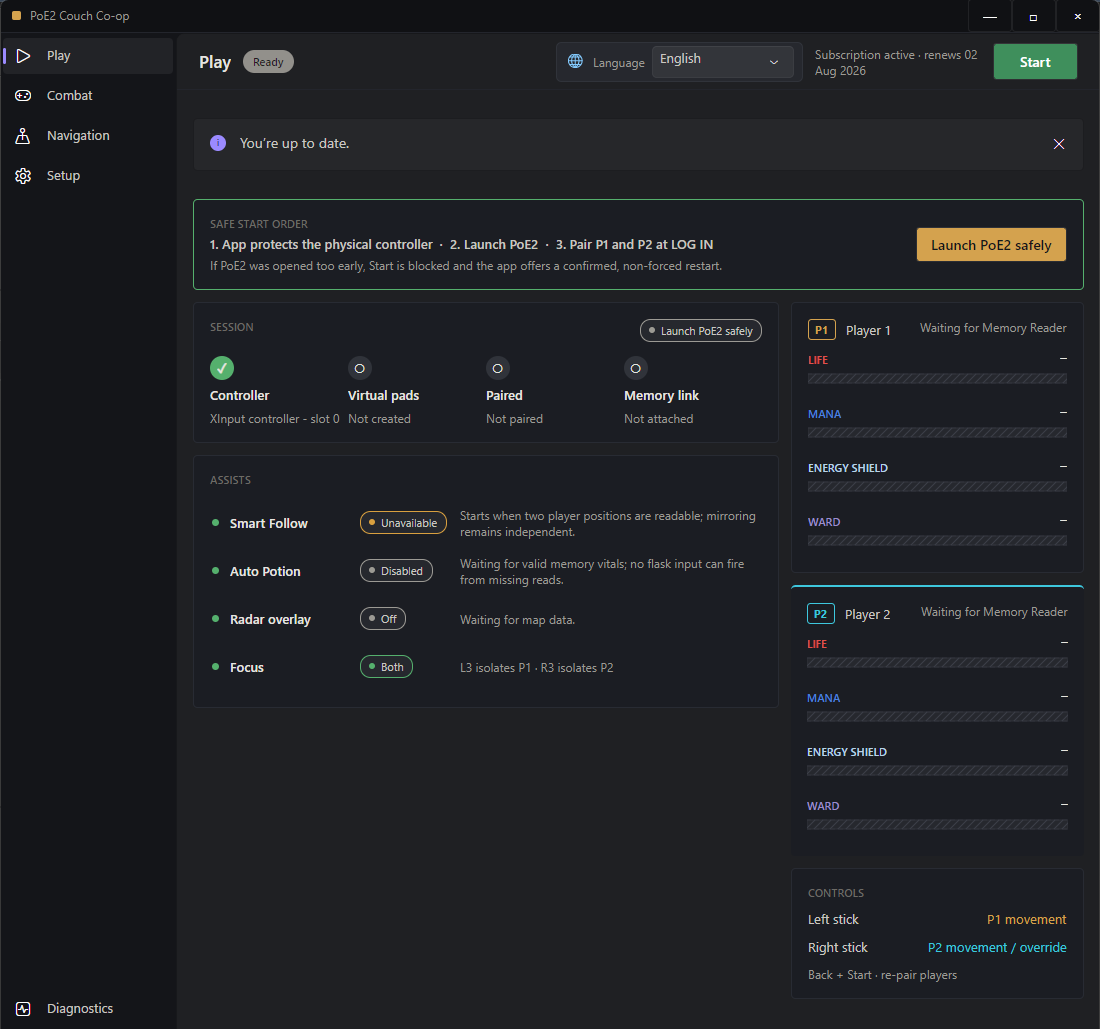
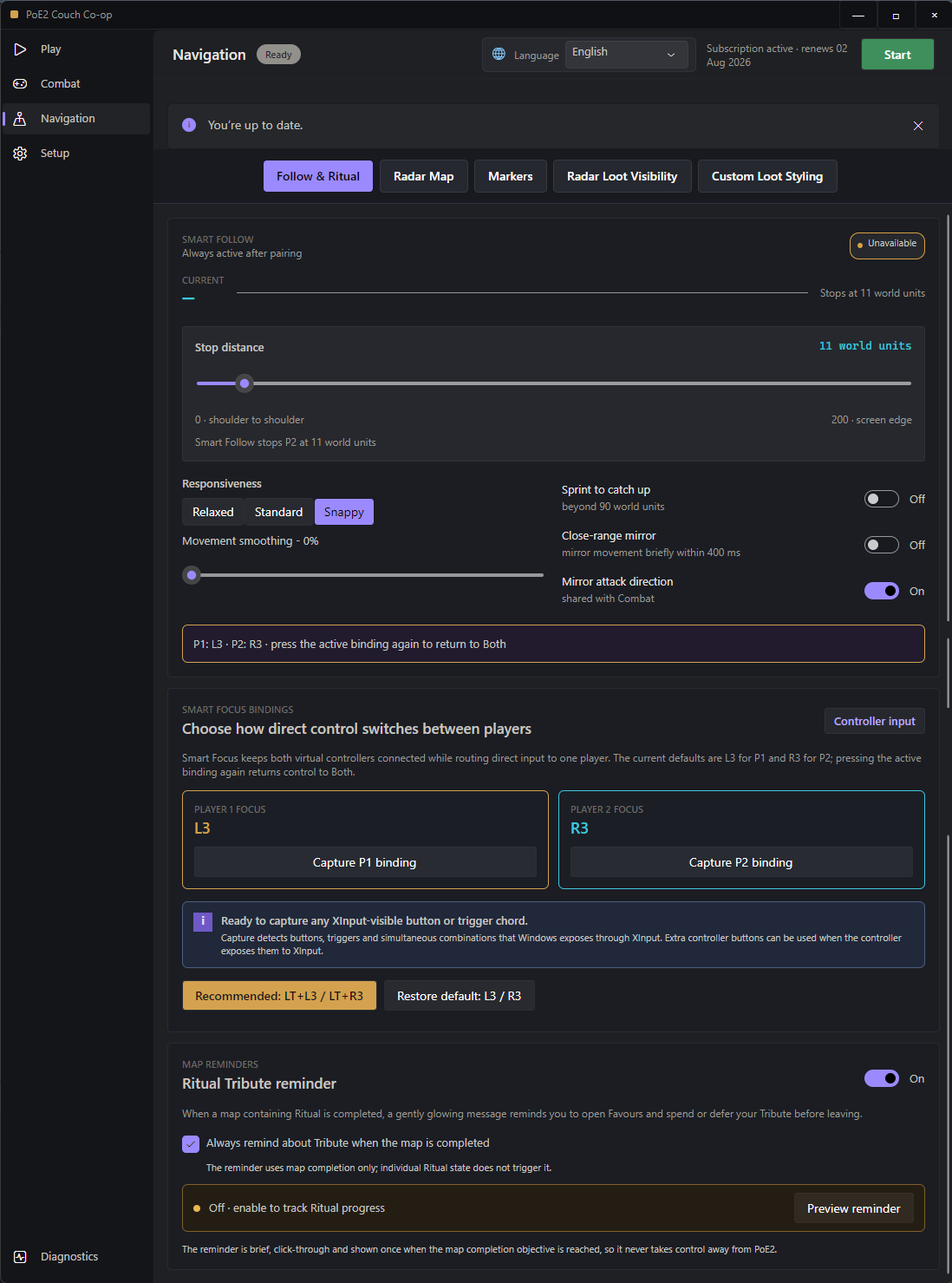
Watch long-range league mechanics, item-filter-aware loot and the customizable radar running live during a Path of Exile 2 couch co-op session.
Smart Follow, focused P1/P2 routing, selective mirroring, Auto Potion and radar work together as one cohesive session.
Live memory positions guide P2 toward P1 with configurable stop distance, smoothing, catch-up behavior and delayed mirrored attacks.
Choose which face buttons, bumpers, triggers and D-pad directions reach P2. L3/R3 remain reserved for reliable player focus.
Optional memory radar shows explored map shape, exits, entities, league markers, and filtered loot. Use it for faster map navigation, or leave it off and play normally.
Per-player life, mana, energy-shield and ward rules use live health and resource values. Flask presses route to one virtual pad only—no sharing or waste.
Left stick drives P1, right stick drives P2 — or temporarily hand the whole controller to one player via L3 / R3 for an inventory pass or boss mechanic.
Choose exactly which buttons mirror — face buttons, bumpers, triggers, D-pad. Want skills shared but flasks separate? Done in one click.
Version 2 enforces the safe startup order, prepares HidHide, creates both virtual pads and guides P1/P2 pairing over the PoE2 window.
The self-contained installer includes the native app, ViGEmBus, HidHide, Memory Reader and radar sidecar. No Python, Node, WebView or separate .NET install is required.
Connect the controller and press Start. The app verifies HidHide, blocks unsafe game startup order, and safely launches or targets PoE2.
Press A once for P1, fully release it, then press A for P2. Memory reading starts automatically and Tab controls the in-game radar.
Every download gets 3 hours of full-feature trial time. Buy a license whenever you're ready—keys deliver to your email instantly.
The core tool operates through Windows virtual controllers, read-only memory data and game-targeted overlays. The Memory Reader supplies health and resource values, positions, map radar and entity display without writing game memory or manipulating network traffic. To Path of Exile 2, both virtual pads look like normal plugged-in Xbox controllers.
That's a low-risk design — but no third-party utility can promise "never detectable forever." Game policies can change. Use at your discretion. See the Terms of Service for the full risk acknowledgment.
Everything. Smart Follow, focused controls, selective mirroring, Auto Potion, Memory Reader, radar and ultrawide setup are unlocked for the full three hours. The one-time trial is bound to the device.
Any controller that registers as an Xbox / XInput device works. That covers official Xbox One and Series X|S controllers wired or wireless, plus most third-party controllers in XInput mode (8BitDo, GameSir, PowerA, etc.).
DualShock and DualSense work if you route them through DS4Windows or Steam Input in XInput mode. PlayStation native HID is not supported.
Licenses are bound to one PC at a time (CPU + motherboard fingerprint). If you upgrade your hardware, reinstall Windows, or move to a new PC, you'll need a HWID reset to move your license. Paid plans include the reset allowance shown at checkout — see terms.
The app checks your license at startup, not constantly. If your license expires while you're playing, the current session keeps running. You'll just be prompted to renew on next launch.
Because you get a full-featured 3-hour trial up front, paid licenses are non-refundable once activated. The only exception: if the app is technically broken on your supported system and we can't fix it within 7 days, we'll prorate a refund. Full details in refund policy.
Windows 10 (1903+) or Windows 11, 64-bit. ~120 MB free disk for the core app. Optional radar and memory-read helpers use a little extra CPU/RAM while enabled. No GPU requirement for the core tool.
No. This is an independent third-party utility. "Path of Exile 2" is a trademark of Grinding Gear Games. We have no affiliation, endorsement, or partnership with GGG.
Focused setup and feature guides, linked here and in the sitemap without crowding the main menu.
Split-stick movement, selective mirroring, Smart Follow and temporary full-player control in plain language.
Read the co-op guide → Windows setupThe safest start order, virtual controller pairing and the common duplicate-input checks.
Open setup steps → Radar & loot filtersMap range, item-filter visibility, custom loot styling, league markers and the Ritual reminder.
Read the radar guide →Restored Ritual Tribute reminders after the latest PoE2 patch with a validated adaptive recovery path for the exact official Map Completed objective.
The radar now honours P1, P2 and Midpoint centring and automatically follows the surviving character when the other player dies.
After a short confirmed-death check, Smart Focus gives the living character the full controller until both players are alive again or a new area loads. Automatic potions no longer target a confirmed dead player.
Memory Reader and radar helpers now close with their owning app, preventing duplicate background scanners and overlays after abnormal exits. The radar also shuts down cleanly when PoE2 closes.
Updated the memory reader for the latest PoE2 layout so Player 1 and Player 2 remain in the correct ordered slots after pairing, restoring reliable Smart Follow movement.
Fixed random in-game radar flicker by retaining completely empty same-map scans briefly and stabilizing individually missing markers by their memory identity. Player movement and centering remain live, and entering a new map clears retained markers immediately.
Fixed custom Smart Focus bindings continuing to consume L3 or R3. Stick clicks now reach PoE2 normally unless they form part of the active focus combination.
Automation still stops immediately whenever player order cannot be proven, while brief reader dropouts no longer make the app's live memory status cards flash.
Added configurable Player 1 and Player 2 Smart Focus bindings with controller-input capture. L3/R3 remain the defaults, while LT+L3 and LT+R3 are the recommended guarded combinations.
Reorganized Navigation into Follow & Ritual, Radar Map, Markers, Radar Loot Visibility and Custom Loot Styling tabs, with separate Category, Bulk and Individual styling workflows.
Added item-filter-aware visibility and styling for equipment bases, flasks, Superior items, gems, jewellery, charms, currency and other observed loot. PoE2's active item filter remains the visibility authority.
Expanded the searchable catalogue to more than 200 marker icons, including PoE orb-inspired presets, with Default restoring each category's original built-in marker.
Added optional glow and static or animated label borders, and stabilized the styling selectors and Navigation sub-tab hover states.
Ritual reminders now trigger from PoE2's official Map Completed objective across ordinary and special maps.
Added a gentle click-through Ritual Tribute reminder when a Ritual map reaches its map-completion objective, and corrected Ritual markers so unfinished altars stay solid while completed altars fade.
Added independent opacity for loot/mechanics/exits, normal/magic/rare monsters, and bosses/unique monsters; full-range checkpoints; arrow-key radar positioning; and remembered exploration when returning from map subzones.
Added large glowing named Spirit markers and Spirit-protected strongboxes, while ordinary strongboxes remain hidden.
Expanded Custom Currency Exchange Icons with clearer item selection, search, bulk styling, per-item icons, colours and label sizes. The active in-game loot filter remains the final visibility authority.
Localized all new Ritual, radar, Spirit, checkpoint and currency controls across the ten supported interface languages.
Added dedicated full-map icons for Breach, Ritual, Expedition and Abyss encounters, clearer P1/P2 markers, larger transition/boss detection, and completed-mechanic fading.
The radar now respects your active PoE2 item filter before applying its complete 661-item Currency Exchange selection. Hidden gems, runes and other filtered drops stay hidden, while selected visible drops receive exact readable labels.
Added currency search, separate world and loot label sizing, removed phantom loot labels, reduced map-feed memory pressure, and fixed intermittent radar disappearance during mapping.
Memory Reader and radar components are now fully self-contained for reliable installation without a separate .NET runtime.
Added a prominent, live language selector with saved preferences for English, Spanish, German, French, Brazilian Portuguese, Filipino, Vietnamese, Malay, Simplified Chinese and Japanese.
Localized the app pages, setup guidance, state cards, tooltips, pairing prompts and focused-control overlays while keeping product names and live technical data intact.
New installs now use 0 minimum missing Life/Mana and 350 ms Life/Mana cooldown defaults for both players. Existing saved flask settings are preserved.
Fixed a cold-start memory-reader failure when both players selected new or low-level characters in The Riverbank.
The reader now validates the real game state through the AreaInstance, entity map and local player, rejects false adjacent candidates, and no longer requires a high-level character login first.
Rebuilt the desktop app from the ground up in native Avalonia with clearer Play, Combat, Navigation, Setup and Diagnostics pages.
Added safe startup-order enforcement, automatic HidHide allow-list repair, physical-controller cloaking, two-pad pairing prompts over PoE2, and controller restoration on exit.
Restored the original P1/P2 routing and focus behavior while adding selective mirroring, delayed P2 attack approach, per-player Auto Potion rules and Menu Guard.
Added a hidden radar sidecar, transparent terrain, adjustable fog and borders, improved ultrawide support, live UI scaling, in-app help, support links and a three-hour full-feature trial.
Added optional memory-read modes for Smart Follow, Auto Potion vitals, map radar/reveal, entity display, and filtered loot markers.
Added optional ultrawide installer support for displays up to 49 inches.
Improved P2 dodge/follow behaviour, controller pairing, and 30 second startup flow.
Memory read and ultrawide support are both user-controlled optional features; the normal overlay workflow remains available.