
Choose the rule
Search the current item and currency catalogue.
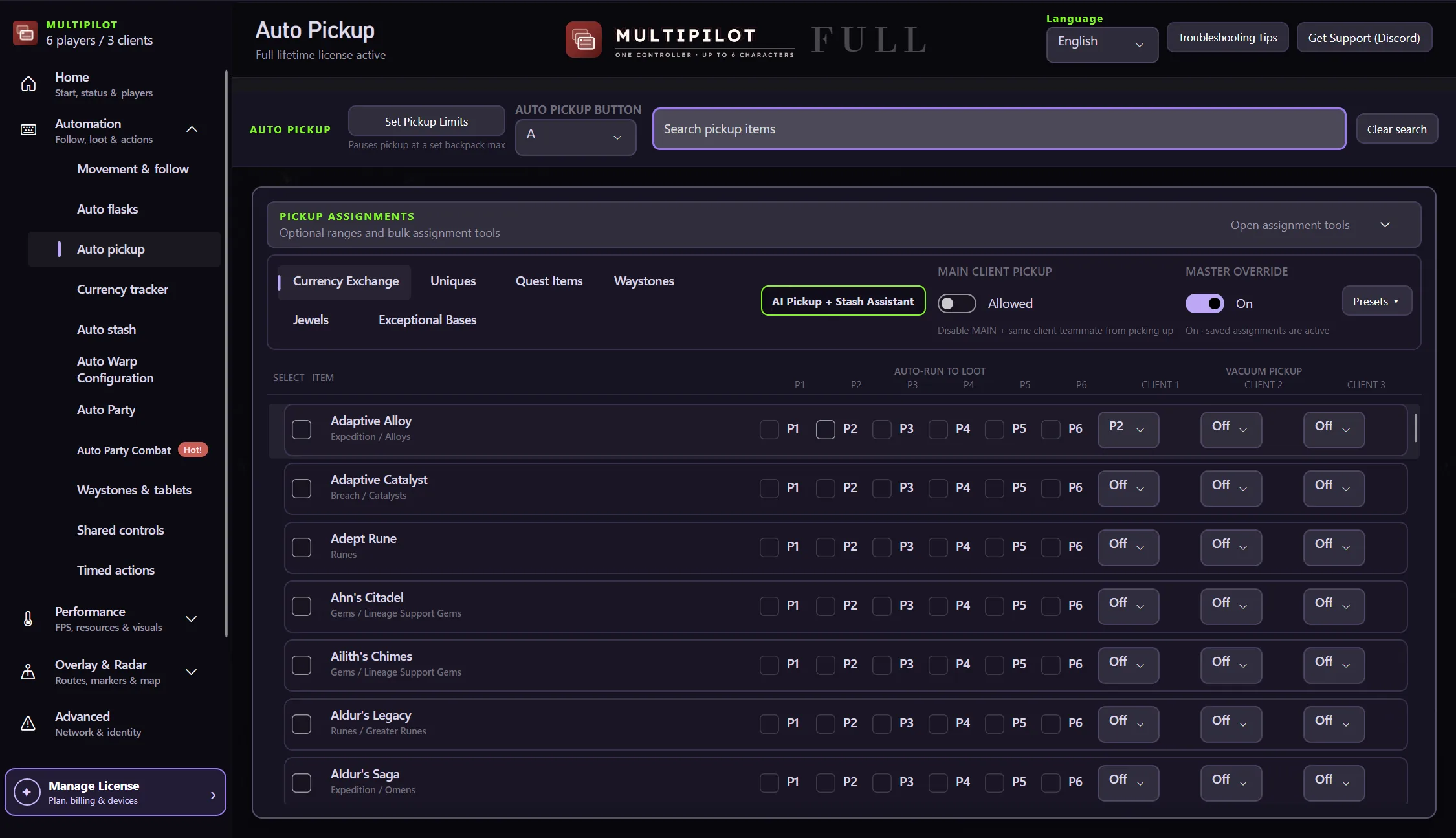
Turn party loot from a scramble into an assignment system that connects searchable item rules with the character that should collect them.
A second character can hold a deliberate category of drops instead of becoming overflow by accident.
Search the current item and currency catalogue.
Give the pickup job to P1, P2, both or neither.
Let a follower perform selected collection work.
Keep the pickup plan tied to available character space.
Assign searchable loot rules to independent party members while each character keeps a separate inventory.
Try both 2P layouts free for three hours · no card
Try party loot rules freeYes. The assignment model can direct selected choices to P1, P2, both or off.
P2 has a separate inventory and can act as a collector for selected drops.
No. Findigo controls pickup assignments; your in-game loot filter remains separate.
Keep P1 on native keyboard and mouse while configurable focus keys control MultiPilot followers across up to three PoE 2 clients.
Explore →The complete MultiPilot partyRun six independent Path of Exile 2 characters across three game clients on one Windows PC with PoE2 MultiPilot.
Explore →A three-client five-player layoutRun five independent Path of Exile 2 characters across three game clients on one Windows PC with PoE2 MultiPilot.
Explore →