
Objective routing
Choose the map content you want to reach.
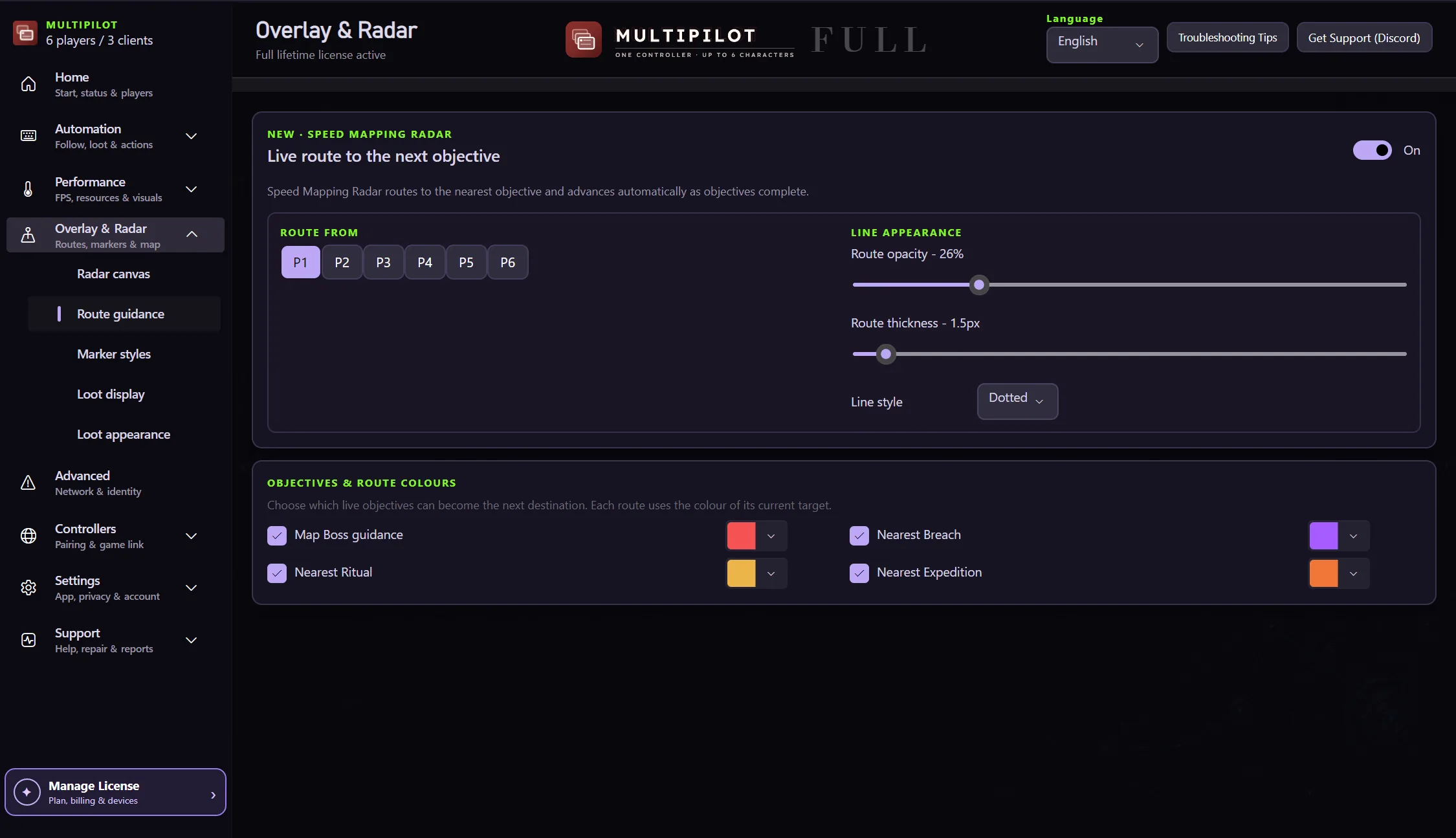
Map Boss. Ritual. Breach. Expedition. Findigo turns the objective you care about into a clear route through the current terrain.
Choose an objective, follow terrain-aware guidance and keep the mapping view tuned to the information you need.
Choose the map content you want to reach.
Guide around discovered walls and paths.
MultiPilot can merge relevant party information into one radar.
Tune opacity, zoom, labels and visibility.
The route follows the discovered map structure so the guidance can respond to walls and walkable paths.
No card · no signup
Try the radar freeFindigo can guide toward map bosses and supported league content such as Ritual, Breach and Expedition.
No. The guidance uses discovered terrain and walkable structure instead of behaving like a simple straight-line pointer.
Yes. Findigo exposes map opacity, zoom, marker styling and other canvas controls.
Keep P1 on native keyboard and mouse while configurable focus keys control MultiPilot followers across up to three PoE 2 clients.
Explore →The complete MultiPilot partyRun six independent Path of Exile 2 characters across three game clients on one Windows PC with PoE2 MultiPilot.
Explore →A three-client five-player layoutRun five independent Path of Exile 2 characters across three game clients on one Windows PC with PoE2 MultiPilot.
Explore →